Quickstart
Bring the platform up, open the developer portal, and ship your first service from a golden-path template.
By the end you'll have:
- a Kubernetes cluster running Backstage, ArgoCD, Prometheus/Grafana and the policy engine
hello-service, the reference service, deployed by GitOps- a new service repository of your own, scaffolded from a template, CI included
Locally this takes about 15–20 minutes and needs no cloud account. On AWS it takes 40–70 minutes and costs about $19/day while the cluster runs.
Prerequisites
| Tool | Version | Install |
|---|---|---|
| Docker | ≥ 24 | docker.com |
| kubectl | ≥ 1.29 | brew install kubectl |
| Helm | ≥ 3.14 | brew install helm |
| Node.js | ≥ 22 | brew install node (for the Backstage build) |
| Kind | ≥ 0.27 | brew install kind (local only) |
| AWS CLI | ≥ 2.15 | brew install awscli (AWS only) |
| Terraform | ≥ 1.5 | brew install terraform (AWS only) |
The full local stack is heavy
A 16 GB machine runs the core platform plus at most one AI component (Langfuse, KAgent with a couple of agents, or MLflow). The full stack needs a 24 GB machine with 16 GB given to Docker. Read Machine requirements before adding the AI layer.
Set GITHUB_TOKEN first
Every other integration is optional and fails soft. A GitHub PAT
(repo, read:org, workflow, delete_repo) is the one worth setting,
because scaffolding creates real repositories. See
Optional third-party integrations.
1. Start the platform
Clone the repository and run the setup wizard. It personalises the placeholders
(your GitHub org replaces moatazeldebsy across the repo), then bootstraps the
environment you choose.
git clone https://github.com/moatazeldebsy/backstage-platform-template
cd backstage-platform-template
./scripts/setup.sh        # choose "local" when prompted
setup.sh calls bootstrap-local.sh for you and then offers to start Backstage.
Run setup.sh, not both
Don't run bootstrap-local.sh yourself afterwards. That repeats the whole
15–20 minute install. Keep it for day-2 work: --destroy, --start-backstage,
--print-urls, or recreating the cluster.
What gets installed, and how long each part takes
| Phase | What happens | Time |
|---|---|---|
| Kind cluster creation | kind create cluster, load balancer, kubeconfig |
~2 min |
| nginx ingress controller | Helm install + wait for pods | ~1 min |
| ArgoCD | Helm install + wait for pods + register GitHub credentials | ~3 min |
| Prometheus + Grafana | kube-prometheus-stack Helm install |
~4 min |
| Backstage | Docker Compose build + container start + DB migrations | ~4 min |
| DORA exporter + seed metrics | CronJob apply + one-shot job | ~1 min |
| Total | ~15–20 min |
--skip-obs (skip Prometheus/Grafana) saves ~4 minutes. The step-by-step
list is in Local Setup → Bootstrap.
aws configure                  # or: aws sso login
aws sts get-caller-identity    # confirm the account

git clone https://github.com/moatazeldebsy/backstage-platform-template
cd backstage-platform-template
./scripts/verify-secrets.sh    # check every API key before spending 40 minutes
./scripts/setup.sh             # choose "aws" when prompted
Read the checklist first
Go through the Pre-Deployment Checklist before your first deploy. The Deployment Guide has the full walkthrough, post-deploy steps and known issues.
What gets installed, and how long each part takes
| Phase | What happens | Time |
|---|---|---|
| Terraform | VPC, EKS control plane + node groups, RDS, ECR, IAM/OIDC, Crossplane IRSA role | ~20–25 min |
| ArgoCD + app-of-apps | Helm install + GitHub credentials + first sync | ~5 min |
| External Secrets Operator | Helm install + ClusterSecretStore ready | ~3 min |
| Prometheus + Grafana | kube-prometheus-stack + Grafana ALB provisioning |
~5 min |
| OPA/Gatekeeper | CRDs + constraints | ~2 min |
| Crossplane | Core + AWS providers healthy + compositions applied | ~5 min |
| Backstage | ECR image push + K8s deploy + ExternalSecret sync + ALB | ~8 min |
| hello-service + ALB | Helm install + ALB DNS propagation | ~3 min |
| Total | ~40–70 min |
EKS control plane creation (~10 min) and ALB provisioning (~3–5 min per ingress) are the longest waits and are entirely AWS-side. Re-running against an existing cluster takes ~15–20 minutes: Terraform applies only the diff.
When it finishes, check every component in one go:
It runs ~40 checks across 10 categories, and exit code 0 means healthy.
2. Open Backstage
If you declined the offer at the end of setup.sh, start it now:
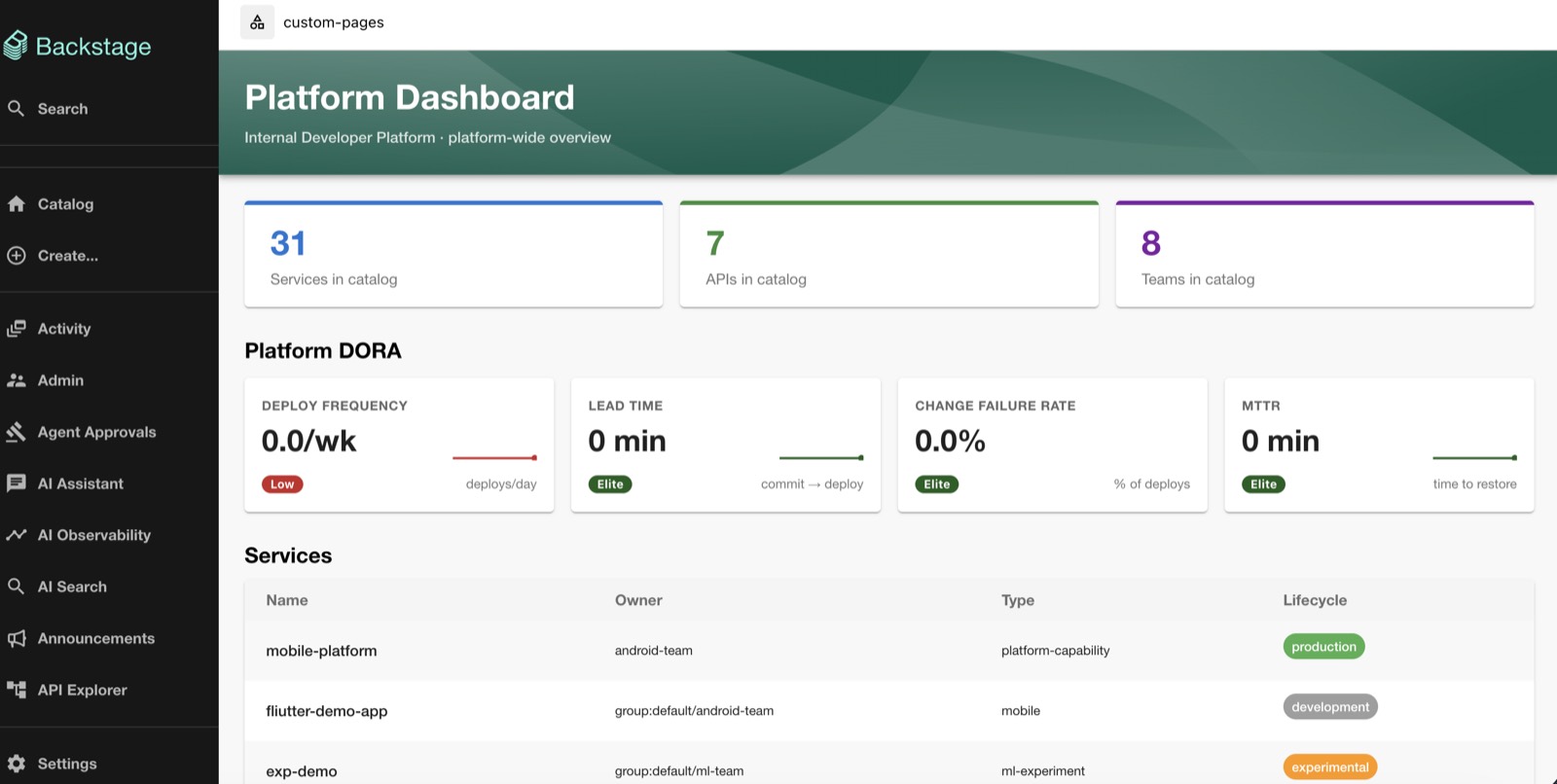
Then open http://backstage.idp.local (fallback: http://localhost:3000). Local Backstage runs in guest mode, so there's no login.
bootstrap.sh builds and deploys Backstage itself, then prints the ALB URL.
Update your GitHub OAuth app's callback URL to
http://<BACKSTAGE_ALB_HOSTNAME>/api/auth/github/handler/frame
(Deployment Guide, step 3),
then sign in with GitHub.
3. Check the reference service
ArgoCD's idp-services ApplicationSet deploys every service under services/,
starting with hello-service. Call it:
In Backstage, open Catalog → hello-service to see its DORA metrics, scorecard, TechDocs and Kubernetes status in one place.
ArgoCD shows no apps?
local/argocd/app-of-apps-local.yaml still names moatazeldebsy instead of your
GitHub org, so personalisation didn't run. Re-run ./scripts/setup.sh. Other
first-run failures are in Troubleshooting.
4. Scaffold your first service
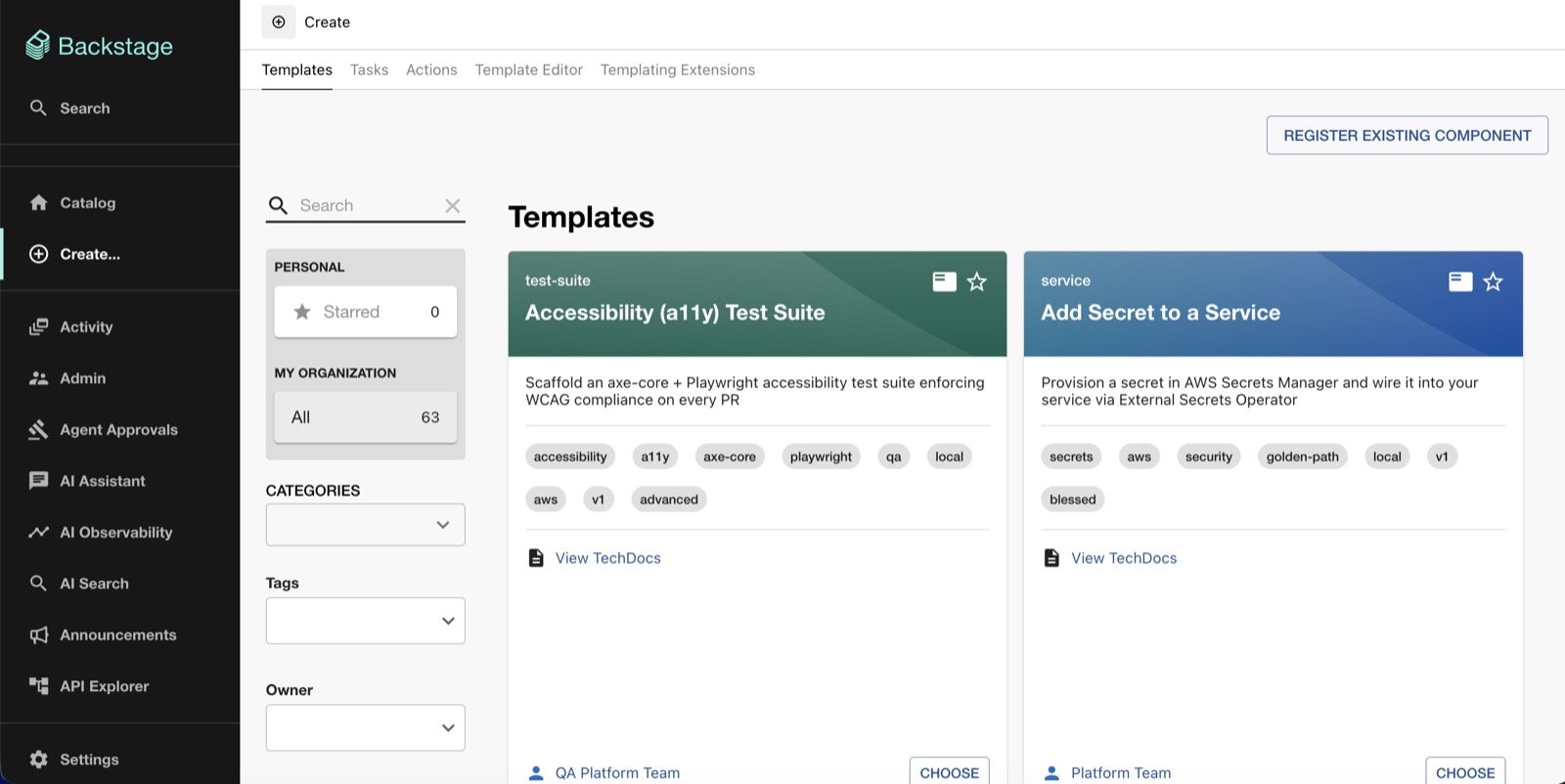
Pick a golden-path template. You get a new GitHub repository with the code skeleton, CI, Dockerfile, Helm values, catalog entry and TechDocs, all wired up.
Click Create, pick a service template (Node.js, Python FastAPI, Go, Ruby, JVM or LLM App), fill in name, owner and repository, then click Create.
Add --dry-run to see what it would create first. Every flag is listed in the
CLI Reference.
The service is registered in the catalog right away, and its first push runs CI:
install → test → docker build → /healthz check.
5. Deploy it
Push the image to the local registry:
Then in Backstage go to Create → Deploy Service to local Kind cluster, pick
the service and click Create. It's live at http://order-svc.idp.local.
With Deployment Target: AWS, scaffolding already opened a GitOps pull request
against the platform repo adding services/<name>/helm-values-aws.yaml. Merge it
and ArgoCD deploys the service to services-dev. Every main build then pushes to
the service's own ECR repository. See
Adding AWS CD to a scaffolded service.
Watch the rollout in ArgoCD (http://argocd.idp.local locally, user admin).
6. (Optional) Add the AI layer
KAgent agents, MCP servers, MLflow, Langfuse and the AI Gateway are an opt-in layer on top of the core.
Short on memory?
--skip-mlflow, --skip-mcp and --skip-kagent each save ~3–4 minutes, and
Langfuse is by far the largest component. See
Running on less.
The assistant then appears in Backstage under AI Assistant. See AI Assistant for what it can do.
The whole flow, end to end
git clone https://github.com/moatazeldebsy/backstage-platform-template
cd backstage-platform-template
./scripts/setup.sh                                   # 1. personalise + bootstrap ("local")
open http://backstage.idp.local                      # 2. developer portal
curl http://hello-service.idp.local                  # 3. reference service
./bin/idp scaffold service --name order-svc --type nodejs   # 4. your service
./scripts/bootstrap-ai.sh                            # 6. optional AI layer
| Local | Local + AI | AWS | AWS + AI | |
|---|---|---|---|---|
| First run | ~15–20 min | ~25–35 min | ~40–70 min | ~60–80 min |
| Re-bootstrap | ~5–8 min | ~10–15 min | ~15–20 min | ~20–25 min |
| Needs | Docker, Kind | + ANTHROPIC_API_KEY |
AWS account, Terraform | + ANTHROPIC_API_KEY |
| Cost | Free | Free | ~$19/day | ~$25/day |
Tear down
Next steps
- Golden Path
The conventions every service follows, from scaffold to production, and progressive delivery.
- Deploy on AWS
The full EKS walkthrough: secrets, team namespaces, cost and production hardening.
- Onboard a team
An isolated namespace, SecretStore, ArgoCD project and Grafana folder per team.
- Something broken?
Symptom-indexed fixes for the failures people actually hit.